Invoice Processing Automation: How It Works and What It Costs
How invoice processing automation reads, checks and posts supplier invoices, what it typically costs, and how to tell if your business is ready for it.
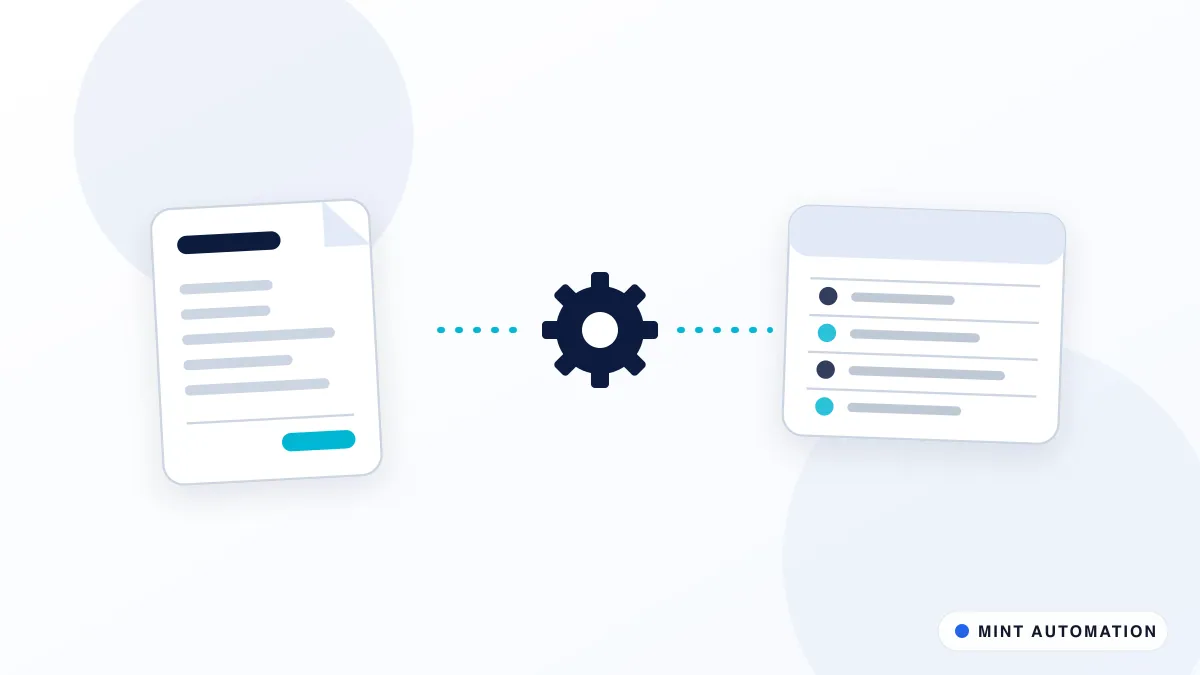
Invoice processing automation takes supplier invoices from your inbox, reads the important details, checks them against your rules and records them in your accounting software, so your team only handles the exceptions. For most small and mid-sized businesses it removes the slowest, most error-prone part of accounts payable without changing the tools they already use.
This guide explains how it works step by step, what it typically costs, the mistakes to avoid, and how to decide whether your business is ready.
What invoice processing looks like without automation
In most finance teams the process is familiar. Invoices arrive as email attachments, supplier portal downloads and the occasional paper copy. Someone opens each one, types the supplier, date, amounts and tax into the accounting system, checks it against a purchase order if there is one, and chases a manager for approval. Then it waits for the payment run.
Each step is simple, but together they cause three recurring problems:
- Time. The work scales directly with invoice volume. A growing business either hires more admin time or falls behind.
- Errors. Transposed digits, wrong tax codes and duplicate entries creep in, especially at month end when people are rushing.
- Visibility. Until an invoice is entered, nobody knows it exists. Late-payment fees and awkward supplier calls follow.
There is also a quieter cost. The person doing the entry is often your most finance-literate team member, and every hour spent typing is an hour not spent on cash flow, supplier terms or month-end analysis. Automation does not replace that person; it gives them back the part of the job that needs their judgement.
How invoice processing automation works
A good automation follows the same logical steps as your team, just faster and more consistently.
- Capture. Invoices are collected automatically from a dedicated inbox, shared folder or supplier portal. Nothing depends on someone remembering to forward an email.
- Extract. The system reads the supplier name, invoice number, dates, line items, tax and totals. It does not need a fixed template for each supplier.
- Validate. Rules check the result: is this a known supplier, does the total add up, does it match the purchase order and goods received, has this invoice number been seen before?
- Route. Clean invoices go to the right approver based on amount, department or supplier. Anything that fails a check is flagged with the reason, so a person can fix it in seconds.
- Record. Approved invoices are entered into your accounting system with the right codes, and the original document is attached for audit.
- Report. You get a simple view of what is waiting, what is approved and what is due, without building a spreadsheet by hand.
Payment itself should stay a deliberate human action. Automation prepares everything; a person releases the money.
For the extraction step, see MINT’s Document Data Extractor AI. For the full flow, the Invoice Automation Kit covers capture, checks and posting for common setups.
Which accounting systems can it work with?
Most businesses already use QuickBooks, Xero, Zoho Books, Tally, or an ERP. Invoice automation should fit around that system rather than replace it. Where the accounting tool offers an official integration, the automation uses it. Where it does not, for example with some desktop or regional systems, a browser automation can enter data through the normal screens, exactly as a person would, and log every action.
The same approach works for supplier portals that only let you download invoices manually: the automation logs in on a schedule, collects new documents and passes them into the same flow.
What does invoice processing automation cost?
Cost depends far more on your process than on invoice volume. The main drivers are:
- Number of systems involved. One inbox and one accounting tool is simple. Several entities, an ERP and a separate approval tool take more work.
- Matching rules. Simple total checks are quick to set up. Matching line items against purchase orders and delivery notes takes more design.
- Approval logic. A single approver is straightforward. Rules by amount, department and project add scope.
- Exceptions. Credit notes, foreign currency and partial deliveries all need decisions about how they should be handled.
As a guide, MINT’s standard custom automations are typically quoted in the range of $499–$1,200 for a single business with one accounting system, and $1,500–$3,500 for multi-entity or ERP-connected setups. You get a fixed quote after a short scoping call, before any work starts.
To judge whether that is worth it, compare it with the time your team spends today. For example, if someone spends around eight hours a week entering and chasing invoices, that is roughly 35 hours a month. Multiply by what that time costs you, then add the cost of the errors you currently fix. Our guide to calculating the ROI of automation walks through the full method, including the costs people usually forget.
Common mistakes to avoid
- Automating a messy process. If approvals already happen by “whoever is around”, automation will copy the confusion. Agree the rules first.
- Skipping the duplicate check. Duplicate invoices are one of the most common and expensive accounts payable errors. Make duplicate detection a hard rule.
- Letting the system guess. When the automation is not confident about a field, it should ask a person, not fill in its best guess.
- No audit trail. Every invoice should keep its original document, who approved it and when. This matters for tax, auditors and disputes.
- Forgetting supplier changes. Bank detail changes should always trigger a manual verification step, because they are a common route for invoice fraud.
What a typical rollout looks like
A sensible rollout protects your books while the automation proves itself. It usually runs in four stages:
- Scoping. Walk through a normal week of invoices together: where they arrive, who approves them, which suppliers cause problems, and which checks matter most. The output is a short written process and a fixed quote.
- Test on real history. Before anything touches your live accounts, the automation processes a batch of recent, already-entered invoices. You compare its results with what your team recorded and agree on how each difference should be handled.
- Parallel run. For a short period the automation prepares entries while your team still checks each one before it is posted. This is where confidence is built and edge cases are found.
- Go live with monitoring. Clean invoices flow through automatically, exceptions land in a review queue, and any failure, such as a supplier portal changing its layout, raises an alert instead of failing silently.
The parallel run is the step people are tempted to skip. Do not skip it. It costs a little patience and prevents months of tidying up.
Questions to ask before you choose a tool or provider
Whether you buy software or hire someone to build the automation, ask these questions first:
- What happens to an invoice the system cannot read confidently? The answer should be “it goes to a person with the reason”, never “it makes a best guess”.
- Where are the documents stored and processed? Make sure this fits your data protection obligations and your customers’ expectations.
- Who maintains it when something changes? Suppliers change layouts, portals get redesigned and accounting tools release updates. Someone has to own that.
- Can we see an audit trail for every invoice? You should be able to show who approved what, and when, without digging.
- What does it cost after launch? Ask about support, hosting and changes, not just the initial build.
- Do we keep control of our data and accounts? You should never be locked out of your own accounting system or invoice history.
A provider who answers these clearly, in plain language, is usually one who has done the work before.
Is your business ready?
You are likely ready if most of these are true:
- Invoices arrive mainly by email or download, not paper.
- You can describe who approves what, even if it is only written in an email today.
- Your supplier list in the accounting system is reasonably clean.
- You process enough invoices each month that the time spent is noticeable.
If your supplier records are messy, start there; clean data makes everything downstream more reliable. A Data Cleaner & Deduplicator run can help. If you are unsure, our free automation assessment gives you an honest read in a few minutes.
How Mannveer International (MINT) Can Help
Mannveer International (MINT) builds invoice processing automations around the accounting system and approval rules you already have. We start by mapping how invoices really move through your team today, agree the checks that matter to you, and give you a fixed quote. Standard setups are typically delivered in 3 to 7 business days, with clear handling for exceptions so nothing is ever posted on a guess.
After launch we monitor the automation and adjust it when suppliers, rules or systems change, so your finance team gets the time back without taking on a new maintenance job.
- Contact MINT to describe your current invoice process
- Connect with MINT directly by WhatsApp or phone
- Explore MINT case studies to see the kind of work we deliver
- Take the free automation assessment to check how automatable your invoices are
FAQ
Can invoice automation handle invoices in different layouts?
Yes. Modern document extraction does not rely on one fixed template per supplier. It reads the key fields wherever they appear, and anything it is not confident about is flagged for a person to confirm rather than guessed.
Does invoice automation work with QuickBooks, Xero, Zoho Books or Tally?
In most cases, yes. The automation enters approved invoices into the accounting system you already use, either through its official integration or, where none exists, by operating its web interface the same way a person would.
Will automation pay suppliers without anyone checking?
It should not, and a well-designed setup never does. Automation prepares, checks and routes invoices for approval. Releasing payment remains a deliberate human step, which protects you against fraud and errors.
How long does it take to set up invoice processing automation?
For a single accounting system and a typical approval flow, MINT usually delivers in 3 to 7 business days. Multi-entity setups or ERP integrations take longer, typically 10 to 14 business days, and are scoped up front.
Have a repetitive task?
Tell us what your team does by hand. We will tell you honestly whether it is worth automating.