AI Agents for Business Operations: A Buyer's Checklist
A practical buyer's checklist for AI agents in business operations: judge fit, exceptions, ownership, security and real cost before you commit.
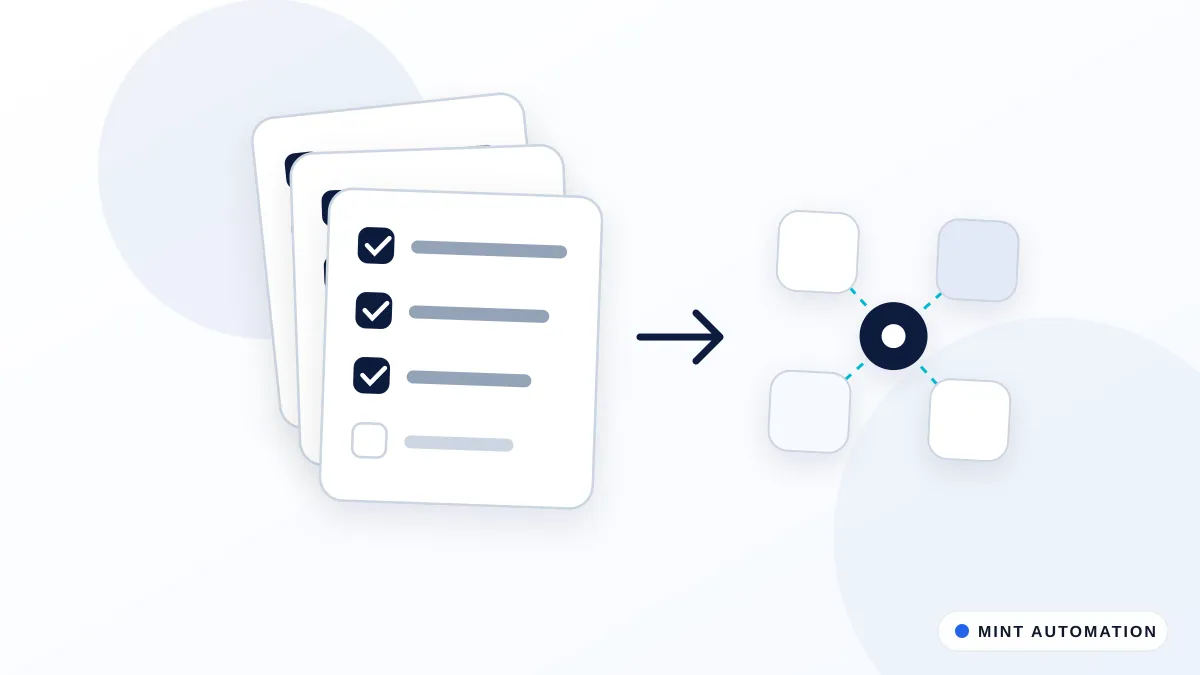
You lose hours each week to the same computer tasks, and you suspect an AI agent or automation provider could take them off your plate. The hard part is judging the options without a technical background. Short answer: run every tool or provider through a checklist that covers fit with your current tools, how it handles exceptions, who owns your data, security, and real cost, then start with a small pilot before you commit.
What an AI Agent Actually Does in Operations
An AI agent is software that reads information, decides a next step, and carries out routine computer tasks on your behalf. It is a type of intelligent agent: a system that senses its environment and acts to reach a goal (Wikipedia: Intelligent agent).
In practice, that looks ordinary. An agent might copy new orders from your store into your accounting software, read an incoming invoice and pull out the supplier, amount and due date, follow up with a lead who filled in a form, or update a record in your CRM after a call. These are the tasks that eat an afternoon and never really end.
It is not a replacement for your team, and it does not run your business on its own. It handles the repetitive middle of a process while people set the goals, review the edge cases, and make the calls that need judgment.
Rule-based automation vs AI agents
A rule-based automation follows fixed instructions: when this happens, do that. It is reliable for clean, predictable work, but it stops or breaks the moment something looks different from what it expects. An AI agent adds a layer of judgment. It can read a document that is laid out differently each time, or decide that an unusual case should go to a person instead of being forced through. The trade-off is that agents need clear boundaries and review, because judgment can be wrong. For a fuller breakdown of what each handles, see our guide on what can be automated in a business.
Where agents fit in a typical small-business stack
Most small businesses already run on a handful of tools: an accounting package, a CRM or spreadsheet, a store or booking system, and a messaging channel like email or WhatsApp. An agent sits between these, moving and checking information so your team does not have to retype it. It rarely replaces a tool you already pay for. More often it connects them. You can see the shape of that work across our AI-powered automation solutions.
Decide What You Want to Automate First
Do not start by shopping for a provider. Start by picking the right task. The best candidates are repetitive, high-volume and rule-heavy: work that happens often, follows a mostly predictable pattern, and does not depend on a one-off judgment call.
Use these four steps to size up a task before you talk to anyone:
- Write the task down the way a person does it today, click by click, from the trigger to the finished result.
- Mark every point where a decision is made, and note what information that decision depends on.
- Flag the exceptions and edge cases: the awkward supplier, the missing field, the customer who replies in a way the script does not expect.
- Estimate the hours spent on it per week, so you have a baseline to measure any automation against.
That last step matters. Without a baseline, you cannot judge whether a quote is worth it. Our note on how to calculate the ROI of automating a process walks through turning hours into a number you can defend.
The Buyer’s Checklist: Questions to Ask Every Provider
Take this list into every sales call. The quality of the answers tells you as much as the answers themselves.
- Does it connect to the tools you already use (QuickBooks, Xero, Zoho, Shopify, Excel, Google Sheets, WhatsApp)?
- How does it handle exceptions, and how does it hand work back to a human?
- Who owns the automation and the data if you decide to leave?
- What happens when a connected app changes, updates or breaks?
- Can you see what the agent did, step by step, after the fact?
Fit with your current tools
Ask specifically about the versions and plans you run, not just the brand name. A provider might say they connect to your CRM but only support a plan tier you do not have. If a tool has no clean way to connect, the work may run through the screen the way a person would click it. That is normal for older systems; we cover the approach in our guide on automating web portals that have no API. Just make sure the provider is honest about which method they will use and why.
Exception handling and human review
This is where weak providers fall down. A good answer describes exactly what happens when the agent is unsure: it pauses, flags the item, and routes it to a named person with enough context to decide. A vague answer, or a claim that exceptions never happen, is a warning sign. You want the automation to fail safely and visibly, not silently.
Ownership and exit terms
Ask who owns the configuration, the logic and the data if you stop working together. Can you take the automation with you, or does it live entirely inside the provider’s system? Where does your data go, and can you get a copy out? Get the answers in writing before you sign.
Tool vs Managed Service vs Custom Build
There are three broad paths, and the right one depends on how standard your process is and how much you want to run yourself.
| Path | Speed to start | Who maintains it | Control over the process | Ongoing cost shape |
|---|---|---|---|---|
| Off-the-shelf tool | Fastest | You | Limited to the tool’s options | Usually monthly subscription |
| Managed service | Medium | The provider | Shaped with the provider | Monthly service fee |
| Custom build | Slowest to set up | You or the provider | Highest, built to your process | Build fee, then optional support |
An off-the-shelf tool is quickest to switch on, but you configure it and fix it when something breaks. A managed service costs more per month but takes the running of it off your desk. A custom build is for work that no standard tool covers cleanly, shaped to exactly how you operate. Many businesses mix them: a ready-made product for a common task, a custom build for the parts that are unique. Our ready-made automation products sit at the tool end, while custom automation services cover the rest. If you are weighing a connection method as part of this, browser automation vs API integration compares the two directly.
Security, Access and Data Handling
An agent needs access to do its job, and access is where risk lives. Treat this section as non-negotiable.
Start with the principle of least access: the agent should be able to do only what the task requires, and nothing more. If it only reads invoices, it should not have permission to send payments. Ask the provider to map the exact permissions they need to the specific task, and push back on anything broader.
Then ask where your data is stored and processed, and for how long. Ask how sign-in credentials and permissions are managed, and how they are revoked the day you end the relationship or an employee leaves. Finally, ask about audit logs: can you see, after the fact, what the agent accessed and did, and who on the provider’s side can view your information? A serious provider will have clear answers and a written privacy position. You can see how we handle this in our own privacy policy.
Pricing, ROI and Hidden Costs
Pricing comes in a few common shapes: per task or per transaction, per seat or user, a flat monthly fee, or a one-off fixed build fee for custom work. None is automatically better. A per-task price suits spiky volume; a flat fee is easier to budget.
The costs that catch people out are usually not on the headline price. Watch for setup and integration fees, the time your own team spends mapping the process and testing, and the cost of a connection breaking when one of your tools updates. Ask directly: what does ongoing maintenance cost when my tools or processes change? An automation that is cheap to build but expensive to keep running is not cheap.
To estimate payback, compare hours saved against total cost, not just the subscription. For example, if a task takes 8 hours a week and you value that time at 25 per hour, that is roughly 200 a week, or about 10,400 a year, in freed-up time. If a provider quotes a build fee plus a modest monthly cost well under that, the payback window is short. Those figures are an illustrative example, not a promise. Run your own numbers with the ROI method and your real baseline from the earlier step.
Red Flags and Green Flags When Choosing
After a few conversations, patterns appear. Use them.
Red flags:
- Vague or shifting answers on who owns the data and the automation.
- No clear plan for exceptions, or a claim that exceptions will not happen.
- No way to review, step by step, what the agent actually did.
- A promise that the agent will handle everything with no human involved.
Green flags:
- A clearly written scope that says what is and is not included.
- An offer to start with a small pilot before a full rollout.
- Honest talk about limits, risks and what could go wrong.
- Straight answers on access, data location and exit terms.
To compare two or three options fairly, score each one. List your must-haves down one side: tool fit, exception handling, ownership, security, total cost, support. Rate every provider from 1 to 5 on each, add them up, and let the gaps show you where the real differences are. It turns a gut feeling into something you can defend to a partner or board.
Sources and further reading
How Mannveer International (MINT) Can Help
If you have a repetitive task eating hours each week, we start by mapping how you actually do it today, flagging the exceptions, and scoping exactly what the automation will and will not cover. You get a fixed quote before any work begins, so there are no surprises. Standard automations typically take about 3 to 7 business days to deliver, and we connect the tools you already use rather than asking you to switch.
We also stay on afterwards. When one of your apps updates or your process shifts, we maintain the automation so it keeps working. The honest way to judge the fit is a small, scoped pilot: one task, a clear result, a real baseline to measure against before you commit to more. See how we deliver automation and our industries work for context.
- Contact MINT to describe the task you want off your plate
- Connect with MINT to talk through options with our team
- Read our case studies to see the kinds of work we take on
- Book a free automation assessment to size up your first pilot
FAQ
How do I know if a task is worth automating with an AI agent?
Look for work that is repetitive, high-volume and rule-heavy, with few one-off judgment calls. Write it down step by step, flag the exceptions, and estimate hours spent per week. If the time saved clearly beats the build and running cost, it is worth automating.
Should I buy an off-the-shelf tool or have something custom built?
Buy off-the-shelf when a standard tool already fits your process and you are happy to configure and maintain it. Choose custom when your process is unusual or no tool connects cleanly to your systems. Many businesses mix both: a ready-made product for common tasks, custom work for the unique parts.
What access does an AI agent need to my business accounts, and is that safe?
It needs only enough access to do the specific task, and nothing more. Insist on least-access permissions, ask where data is stored, and confirm how credentials are revoked when you leave or staff change. Audit logs that show what the agent did make it safer and reviewable.
How much do AI agents for business operations typically cost?
Pricing varies by model: per task, per seat, a flat monthly fee, or a fixed build fee for custom work. Watch for setup, integration and ongoing maintenance costs beyond the headline price. Judge cost against hours saved per week, not the subscription alone, to see the real payback.
What happens if one of my connected apps changes and the automation breaks?
A connected app updating is the most common cause of a break. Ask every provider how they detect and fix this, and what maintenance costs. A good setup fails visibly and flags the problem rather than silently passing bad data, so you can catch it before it causes harm.
Wondering where AI fits in your operations?
MINT scopes practical AI automations with clear costs, controls, and owners.